
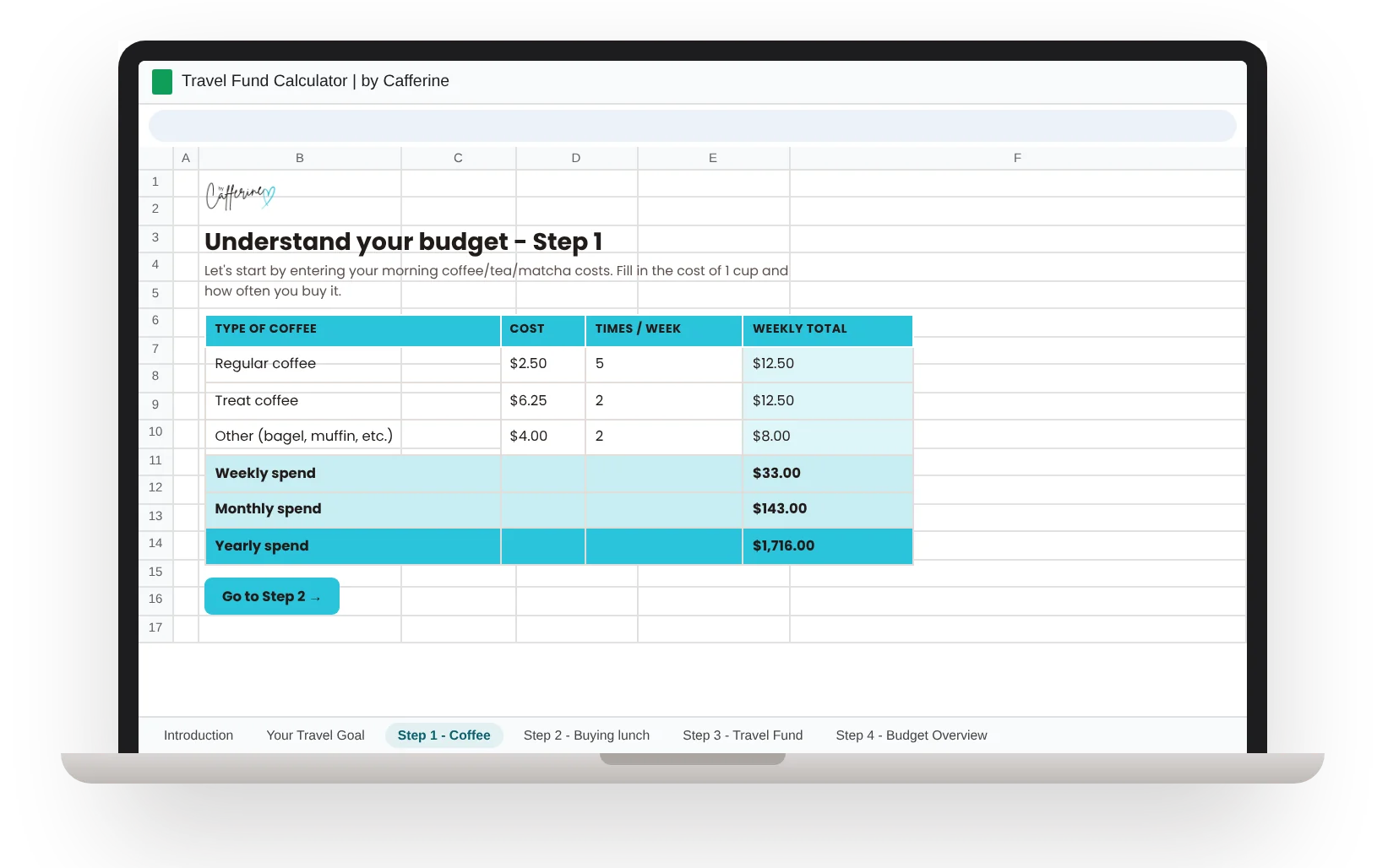
$33 a week doesn't feel like much.
Until you see it for the whole year. Fill in your coffee, lunches and bills, tab by tab, and watch the small stuff add up. Then watch your travel fund grow.
- Done in one sitting, no spreadsheet skills needed
- Each tab walks you through one step
- Yours to keep, with a free Google account
What's inside
Six tabs. You fill in the white boxes and the sheet does the math.
How the sheet works and where to start.
A few questions about where you want to go and why it matters to you.
Your coffee, tea or matcha runs, added up for the week, month and year.
Every lunch you buy or order, even if it's once a week.
What you already put aside for travel each week.
77 expense lines in 12 categories, from rent to haircuts. As you fill them in, your travel fund comes to life, and you can change a number to see how much more you could save.
The Google Sheet
Watch your travel fund grow, month after month.
- 77 expense lines in 12 categories, from rent to haircuts
- Change any number to see how much more you could save
- Guided tab by tab: you fill in the boxes, it does the math
All sales are final since you get instant access. Not sure yet? Try the free version first.
Want the web app too? Get both for $24.
Questions
What do I need?
A free Google account. After you buy, you get a link that makes your own copy. It's yours to keep.
Do I need spreadsheet skills?
No. Each tab tells you what to fill in, and the totals add up for you.
How long does it take?
One sitting. You fill in the white boxes and the totals appear as you go. You'll see what your coffee and lunches add up to in a year before you even reach the budget tab.
How is it different from the web app?
Both show you the same eye-opening numbers: what your small habits really cost in a year and how much you could redirect toward travel with a few small changes. Both take one sitting. The web app walks you through it on your phone or computer. The sheet lives in your Google Drive, and you can change any number and watch your travel fund projection update in real time. It's a fun way to play with "what if I cut this?" and come back to it whenever your spending changes.
Does the sheet give me a departure date?
Yes. Add your trip budget and it shows how many months to go and the month you could leave, on your weekly savings alone and with 25% to 100% of your leftover money added.
Does it work in my currency?
Yes. The sheet works in any currency. Just type your amounts in yours.
Does it work for couples or families?
Yes. Add both incomes, enter your shared bills, and use the Children & Family section for kids' costs. Your trip budget is whatever your whole crew needs.
What happens after I buy?
You pay once through Gumroad (card or PayPal, and checkout shows the price in your currency). Your link arrives by email right away and makes your own copy of the sheet in your Google Drive.
Can I get a refund?
All sales are final, since you get instant access to a digital product. Not sure yet? Try the free version first. If something isn't working, email me at hello@bycafferine.com and I'll help.
Is it only for travel?
No. It works for any goal you're saving toward. Travel is just the example it uses.